
WhatsApp is one of the applications that we use the most permanently in our day-to-day lives, and for this reason we share messages, personal conversations, photos, etc. with family, friends and loved ones, and the safety factor in conversations is something important for all of us. , and WhatsApp works on the chat encryption function based on the principle of protecting user privacy, and so you can activate the security notifications button in WhatsApp, which achieves great privacy for all of us. Through this simple report, you can activate the security notifications button in WhatsApp, which lets you know if the conversation between you and your friend is encrypted or not? So as not to be harassed by intruders.
WhatsApp chat security feature
It is a special feature that the WhatsApp application provides to inform you about the security of that conversation between you and your friend, or the person with whom you exchange messages, and therefore it is easy to identify the security of the conversation after activating the Know el WhatsApp chat security notification button, which we review in detail the activation method through this detailed report, as securing the conversation is important to all WhatsApp users, so preserving privacy and optimal use is an important aspect that all WhatsApp users around the world are looking for. activate it, and you can also know How to change WhatsApp background and get suitable, beautiful and attractive wallpapersAnd we continue with you on how to secure a WhatsApp conversation through the following detailed steps.
Enable show security notifications
At the beginning, there are a series of simple steps that allow you to activate the display of security notifications in WhatsApp, which are as we explain in detail throughout this report.
- Open the WhatsApp application
- Enter the sign (3 dots) at the top of the application interface.
- Go to settings.
- Then the bill.
- Then choose security.
- Then turn on security notifications.
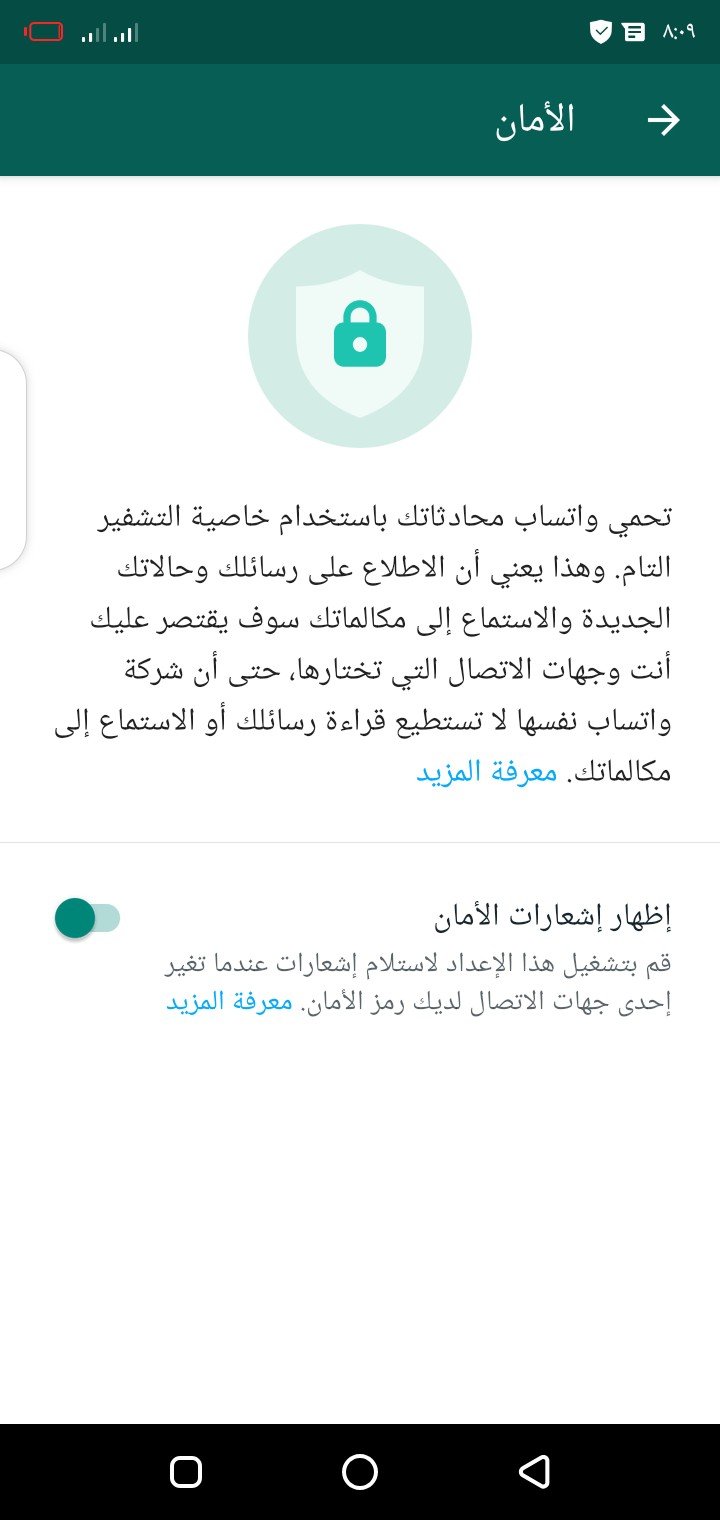

A message will appear on the application interface detailing the importance of activating the function of showing a security notification in WhatsApp, since the WhatsApp application works to protect the conversations, images and files that you share with others, through the function of self-encryption. for conversations, and that no one can recognize your messages except those allowed by your contacts, even WhatsApp itself cannot recognize your conversations and messages.
How do you know that the other party’s WhatsApp chats are safe and encrypted?
To be sure of your conversations on WhatsApp, you can make sure that the conversation of the other party of your contacts is encrypted and protected easily, after activating the security notifications button, you can easily confirm this, as shown.
- Open the conversation of the person whose conversation you want to make sure is encrypted.
- Login with the name of the other party to the chat to display the contact information
- If the encryption mark is visible and is in the shape of a sign (padlock), the conversation is secure.

Toni Morrison was a celebrated American author whose novels earned worldwide recognition for their depth, artistry, and cultural significance. Her influential works continue to inspire readers and writers across generations.

